
How much does a website cost(2024 guide)

There are a number of basic requirements that need to be met when setting up a website. These include registering a domain name, finding a website hosting company, locating a professional designer to build the website, or doing it yourself with a website-building platform.
On average, you can expect to pay an upfront cost of around $50 to build a website, with an ongoing cost of around $15 per month to maintain it. This estimate is higher if you hire a designer or developer – expect an upfront charge of around $2,000, with an ongoing cost of $600 per year.
There are two main ways to build a website: use a website builder or hire a web developer
Website builders (like WordPress, webflow, and Godaddy) are usually the cheapest way to build a website, you can either decide to build one yourself or hire a web designer to do all the work.
If you are on a tight budget, using these packages to design a site yourself can save you a lot of cash. They usually don’t require any technical skills and utilize drag-and-drop features for your convenience. It may be overwhelming at first, but with a few minutes in the do-it-yourself program, most people can build their first website to their liking.
These website builders may be free or inexpensive to use the basic features. But to access premium features such as unique themes, you will need to pay higher subscription fees. Costs vary depending on the platform you subscribe to and the plan you choose, and they can run anywhere between $100 and $300 a year, but most average around $200 a year.
Hiring a web developer is the most expensive option, but it’s the best choice if you need absolute control over the build and customization of the site or require complex functionality.
Realistically, you don’t want to pay less than $1200 for a web developer, otherwise, you might end up with a disappointing result that you’re not happy with.
You need to choose the right method for you. Hiring a web developer is more expensive, but it takes the technical hassle out of your hands. Using a website builder is cheap and easy, but you don’t get the same level of control as you do with Website builders.
Website builders give limited flexibility, but it’s the easiest to use.
if you are finding it difficult to use web builders, click this link for a helping hand

Domain name
The domain name is the starting point of your website. Securing the right domain name is vital, especially if you’re looking for a .com URL or a prized top-level domain (TLD). .
Registering usually entails an annual subscription from a domain registrar, ranging from anywhere between $1 to $50 a year. Keep in mind that some premium domains may cost a lot more depending on how popular the keywords in the domain are. Some domains sell for thousands of dollars. Most business owners find something that works for under $60.

Web hosting
You can’t have a website simply with a domain. You must obtain hosting for the website so that visitors can see what’s on the site. Hosting is a separate fee from the domain but may be included in some plans.
With drag-and-drop website building sites, this is usually included in their annual subscription fee. But if you’re building the pages yourself or using WordPress, you will be required to subscribe to a website hosting service provider.
Once again, these subscription fees vary from around $100 to $500 per year. If you have a lot of web traffic to your website, it’s better to invest in a more robust web hosting plan to ensure that your site doesn’t crash. A high volume of traffic is considered to be more than 100,000 visitors a month. If your hosting plan doesn’t allow for a lot of traffic, you may run into problems as your visitor counts increase. Baseline plans are fine for when you start but be prepared to upgrade as your website gains more traction with visitors.
In fact, at a later stage, you could invest in your own servers and ensure that all the information is kept in-house. This is a high expense that can range from $5,000 to $20,000 per year. Generally, most smaller companies don’t need to go this route.
SSL
Many small businesses don’t realize how important it is to sign up for a secure sockets layer (SSL) service provider. An SSL certificate is a digital authentication of your website’s identity and enables an encrypted connection for security purposes. It’s also required to accept online payments, so any online store will need an SSL.
SSL certification means that your visitors are protected from unwanted cyberattacks. Some browsers will divert users away from websites without SSL certification with the message, “This site may not be secure.” For most visitors, this is enough to deter them from clicking through to the site. This certificate changes your site from an HTTP to an HTTPS prefix in the web domain, showing web browsers that you have invested in security for the website.
In many instances, you can get an SSL certificate for free through your web hosting provider. However, you can opt to purchase an SSL certificate from a third-party provider as well.
Additional costs to consider
As with everything in life, there are always extras to consider before hitting upload on the back end of your website. Here are some of the most common.
Add-ons and plugins
Whether you’ve subscribed to a website builder like WordPress or are looking to venture into e-commerce, you will likely need add-ons known as plugins.
These plugins can enable features such as on-page testimonials, contact forms and newsletter subscriptions, just to name a few.
There are loads of free versions as well as paid plugins. At the end of the day, it’s up to you to decide what features are worth spending money on. Depending on the new function you want, it could be free or an annual subscription fee of $100-plus per year.
Use plugins sparingly. The more plugins you add to your site, the more the site needs to process information prior to loading. This can slow speeds down. That isn’t good for a user experience or SEO. Only add plugins that you feel will enhance your visitors’ experience while on the site. Regularly update plugins to make sure they meet the most current standards and speeds. Delete any plugins that you are no longer using.
Search Engine Optimization (SEO)
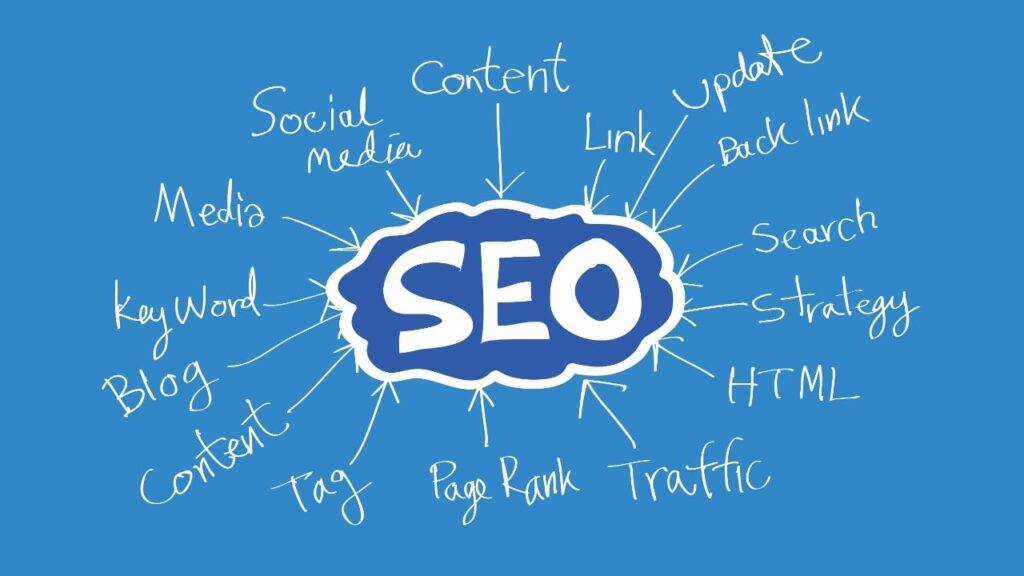
Your website needs to rank well on Google. Unfortunately, this doesn’t just happen by chance. It takes work.
If you’re looking at ranking your website on the first page of search engine results pages (SERPs), you may need to hire a search engine optimization (SEO) specialist. This may cost anywhere between $100 to $2000 per month. It depends on how much work you need them to do on content and web pages. The more pages that you need to optimize, the more an SEO expert will cost.
This individual will assist in recommending content and what keywords you want to rank for and providing monthly reports of how the strategy is working. If you’re using WordPress to host your content, you’ll get far more flexibility, but also, WordPress sites generally rank better on Google.
Another benefit of hiring an SEO specialist is that they should inform you whether any of your site’s pages are experiencing issues such as a 404 code (“Page Not Found”). Errors are not good for a user’s experience and thus can harm your SEO rankings if not properly addressed.
For an Affordable SEO specialist, send your requirements to this link
Summary
We’ve walked you through the costs involved in making a website, from using a website builder to hiring a professional developer to build it for you. Hopefully you now have a clearer idea of the best method for you, and which one best suits your budget.
Remember that working out how much a website costs isn’t just about money. It’s also about the other resources you have, such as time, tech skills, and design skills. If you have tons of time, you can learn new skills, but if you’re pressed for time and have a large budget, you can delegate the work to a professional.
Thinking about what you want from your site, how much time and money you can realistically put into your site, and how you want to run your site on a day to day basis, will all help you make the most of your money in the long run.
Although every site comes with its own unique set of costs.
We recommend using a website builder yourself if:
- You have a tight budget
- You’re a first-time builder
- You’re short on time
- You want to have a go at creating a site yourself
We recommend hiring a web designer:
- You have a little more wriggle room in your budget
- You want total control over your site
- You want a high level of customization
- You don’t want the responsibility of creating a site yourself
We recommend using a web developer if:
- You have a large budget
- You don’t want the responsibility of creating a site yourself
- You’re very short on time
- You need a very complex or custom design
- You’d be happy letting a professional manage your site
Building a website doesn’t have to be expensive – as long as you pick the right method and get value for your money, your website will be worth every cent. Happy building!